
Texts on Personal Phones
A customer texts the number on the truck. That thread now lives on one employee's phone, and nobody else can see it. When they take a day off, so does the conversation.
Texts, emails, and messages from your website all land in a single inbox your whole team can see. No more hunting through someone's personal phone to find out what a customer was told last Tuesday.
Questions first? Send us a message and we will reply the same business day.
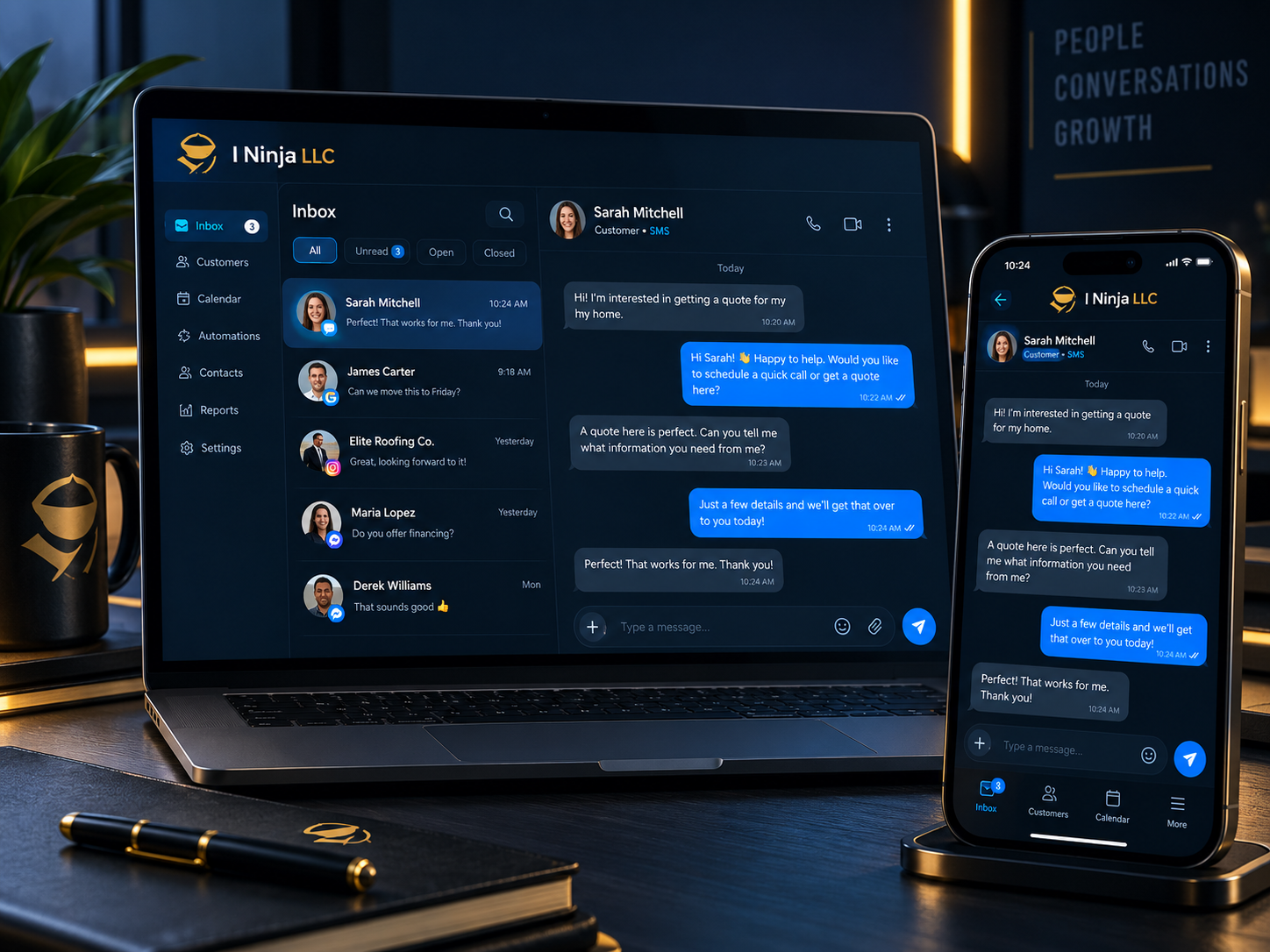
Nobody plans to ignore a customer. It happens because the message landed somewhere nobody was looking.
A customer texts the number on the truck. That thread now lives on one employee's phone, and nobody else can see it. When they take a day off, so does the conversation.
Three people check it, each one assumes another already replied, and the customer hears nothing from anybody.
Someone filled out your contact form on Saturday. The notification went to an inbox with 400 unread emails. You find it Thursday.
The customer explains the whole thing again because whoever picks up next has no idea what was already discussed.
People expect an answer in minutes now. A next-day reply reads as "they do not want my business."
A customer says you promised something. You believe you did not. But the proof is in a text thread on a phone that left the company in March.
Plain version: all the ways people contact you come into one screen, and your team answers from there.
Switch between how a customer prefers to talk without switching apps.
A question asked on your site shows up beside everything else, not in a separate tool nobody opens.
Every call, text, and email with that customer sits on their record, in order, so anyone can catch up in ten seconds.
Hours, pricing ranges, what to bring, where to park. Answer once, reuse it forever.
Staff can text customers without handing out their own cell number.
Desk, laptop, or phone. Same inbox, same history, same thread.
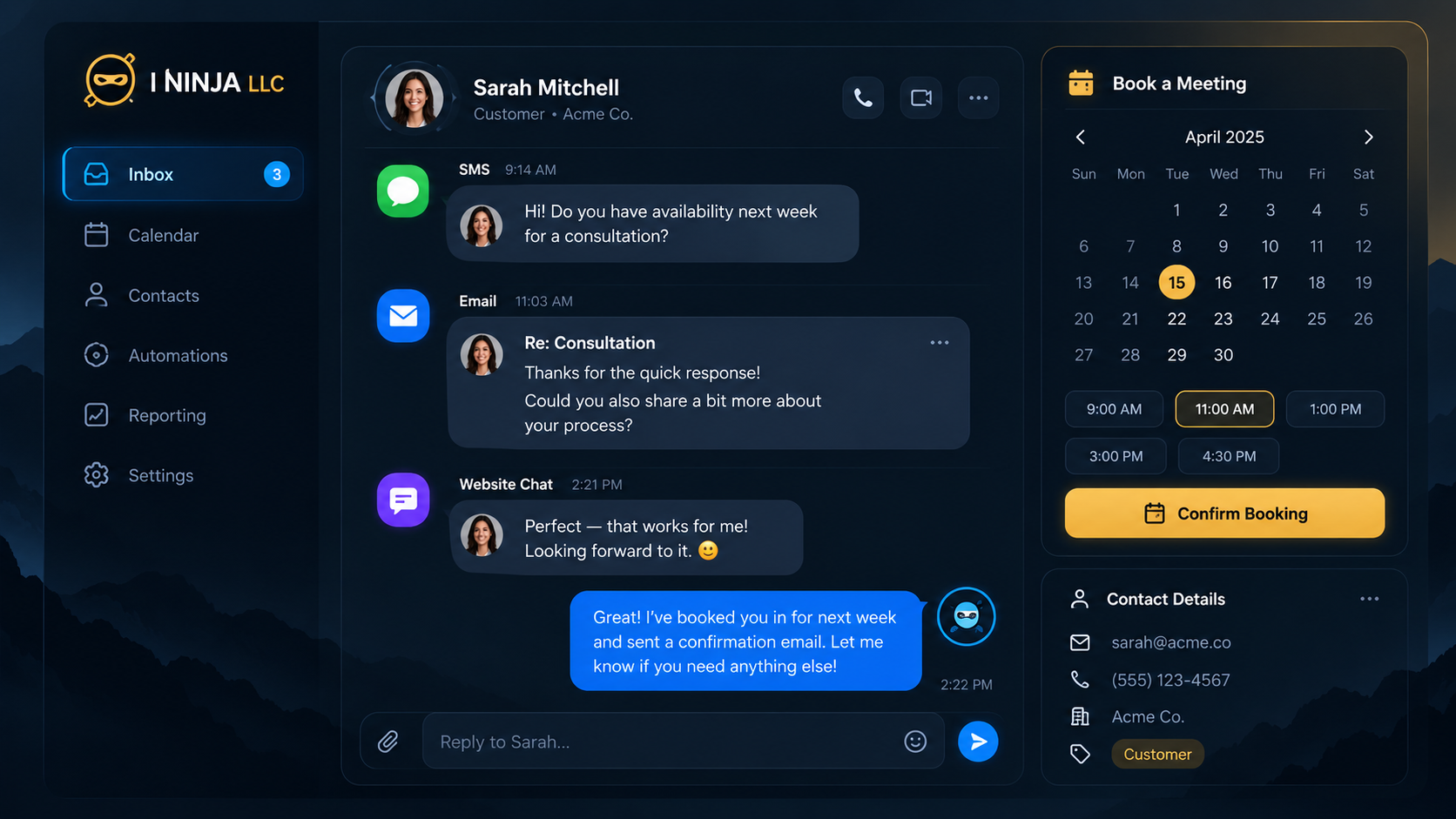
Same business, same three customers, different setup.
A shared inbox fixes the chaos. Connecting it to the rest of your system is what actually saves hours.
When a call comes in, the notes land on the same contact record. When someone books, the confirmation goes out as a text. When a lead goes quiet, follow-up starts on its own. It all runs on the I Ninja App, which is the platform your conversations, calendar, and contacts live in.
Replies in seconds, then keeps checking in so leads do not go cold.
See AI Follow UpAnswers calls you cannot get to and logs them on the same record.
See AI VoiceTurns a conversation into a booked appointment without the back-and-forth.
See Automated BookingCatches questions on your website and sends them into the same inbox.
See WebchatWe do the setup. Your team learns one screen.
We map out every channel customers currently use to reach you, including the ones you forgot about.
We connect your business number, your email, and your website messages so they all arrive in the same place.
We write saved replies for your most common questions and decide who sees what, using your words and your policies.
A short, practical walkthrough. If it takes a training manual, we built it wrong.
Any business where more than one person talks to customers. A few examples of what that looks like.
Candidates answer texts, not emails. Keep every exchange with an applicant on one record your whole desk can see.
Tenant requests stop living in one manager's phone. Anyone covering can see what was already reported and promised.
Catch the "quick question" texts that never become tickets, and keep them attached to the right client.
Quote questions, document requests, and renewal reminders all on one timeline per client.
Client threads stay with the account, not scattered across whoever happened to be on the project.
Answer from the job site, confirm the next visit, and keep it all attached to the customer.
We will not tell you this connects to every app you already own. Some tools connect easily, some take extra work, and some do not connect at all. Tell us what you use and we will tell you honestly which bucket it falls into before you commit to anything.
Text messaging also comes with rules. Customers need to agree to receive messages from you, and they need an easy way to stop. We set things up with that in mind, and we would rather explain it up front than have you find out later.
Nothing on this page needs AI. Everything described above can be built with rules and triggers you approve, doing exactly the same thing every time. I Ninja LLC is a human-first company, and AI is a layer you can turn on, turn off, or never switch on at all.
Short answers. Open whatever applies to you.
Yes. I Ninja LLC sets up unified business messaging that brings text messages, email, and website messages into one shared inbox. Every conversation is attached to a single customer record so the whole team can see the full history.
A shared inbox is one screen where all incoming customer messages arrive, no matter which channel they came from. Instead of each employee keeping conversations on a personal phone or in a separate email account, the team works from the same place and can see what has already been answered.
Yes. Messages are sent and received through your business number, so staff can text customers without giving out their own cell numbers. If someone leaves the company, the conversation history stays with your business.
No. Messaging handles text, email, and website conversations. Phone calls are a separate piece. If you want calls answered when nobody can pick up, that is AI Voice, and it records call details on the same customer record.
Yes. We set up saved replies for the questions you answer constantly, such as business hours, service areas, what to expect at an appointment, or what information you need from a customer. Your team sends them in one click and can edit before sending.
Yes. The same inbox and the same conversation history are available from a computer or a mobile device, which matters for teams who are rarely at a desk.
Yes. Text messaging to customers requires their permission, and they must have a simple way to opt out at any time. We set up messaging with consent and opt-out handling in mind and will walk you through what that means for your business.
Sometimes. Some tools connect easily, some require extra setup, and some cannot be connected. We will not promise an integration before confirming it. Tell us what you currently use and we will give you a straight answer first.
I Ninja LLC is based in Trinity County, California and serves businesses across the United States. You can reach the company by email at [email protected] or through the contact page.
Fifteen minutes is usually enough to spot where messages are slipping through. Bring your real situation and we will talk through it.